Rabu, 08 Juni 2011

Download Template Gratis (50 Macam Template)

Download template blogger gratis. Setiap blogger pasti ingin memiliki sebuah blog yang disukai banyak orang. Salah satu usaha yang dilakukan dengan memakai template yang bagus dan menarik.

Di bawah ini ada 50 lebih template blogger gratis. Tampilannya menarik dengan kreasi yang berbeda-beda. Template blogspot gratis ini saya ambil dari Btemplates. Anda bisa melihat kumpulan template gratis lainnya dari situs tersebut dan template di bawah ini bisa dibilang termasuk template yang terbaik diantara template lainnya yang ada di Btemplate.


Avatar Night
Download | Demo


Barcia
Download | Demo


Black Orange
Download | Demo


Black Power
Download | Demo


Blue Diamond
Download | Demo


Breakfast
Download | Demo


Business Talk
Download | Demo


Charming Hotel
Download | Demo


Cloud Blogging
Download | Demo


Cool Feelings
Download | Demo


Crystalblue
Download | Demo


Dark Orange
Download | Demo


Design Team
Download | Demo


Dots
Download | Demo


Elegant News
Download | Demo


Emo
Download | Demo


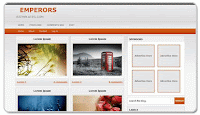
Emperors
Download | Demo

Farmville
Download | Demo


Fresh Citrus
Download | Demo


Greenpress
Download | Demo


Greyzed
Download | Demo


Hinaru Blog
Download | Demo


iEducation
Download | Demo


Imprezz
Download | Demo


Love Sonnet
Download | Demo


Mac Paper
Download | Demo


Magasincuatro
Download | Demo

Magasin Tres
Download | Demo


Magazeen
Download | Demo


Magic Tree
Download | Demo


Mayumi
Download | Demo


Modern Magic
Download | Demo


Moon
Download | Demo


Mooo
Download | Demo


Motion
Download | Demo


NBA
Download | Demo


Nemo
Download | Demo


NewzMag
Download | Demo


Night Sky
Download | Demo


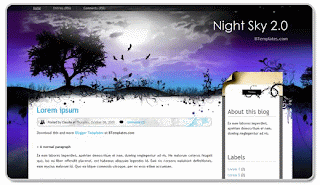
Night Sky 2.0
Download | Demo

Paper
Download | Demo


Paper Wall
Download | Demo


Pulse
Download | Demo


Ranalogy
Download | Demo


Remixzone
Download | Demo


Scrapbook
Download | Demo


Silverline
Download | Demo


Simplebox
Download | Demo


South Africa 2010
Download | Demo


Spotlight
Download | Demo


Summary
Download | Demo


Surreal
Download | Demo


TuxFam
Download | Demo


Wall-E
Download | Demo
Selamat mencoba template baru!

 EnaL Rhay SyahRinggan Next..>>
READ MORE - Download Template Gratis (50 Macam Template)

Senin, 06 Juni 2011

Menemukan Situs Yang Lebih Berkualitas Tinggi Dalam Pencarian

The Official Google Blog - Insights from Googlers into our products, technology and the Google culture
Our goal is simple: to give people the most relevant answers to their queries as quickly as possible. This requires constant tuning of our algorithms, as new content—both good and bad—comes online all the time.

Many of the changes we make are so subtle that very few people notice them. But in the last day or so we launched a pretty big algorithmic improvement to our ranking—a change that noticeably impacts 11.8% of our queries—and we wanted to let people know what’s going on. This update is designed to reduce rankings for low-quality sites—sites which are low-value add for users, copy content from other websites or sites that are just not very useful. At the same time, it will provide better rankings for high-quality sites—sites with original content and information such as research, in-depth reports, thoughtful analysis and so on.

We can’t make a major improvement without affecting rankings for many sites. It has to be that some sites will go up and some will go down. Google depends on the high-quality content created by wonderful websites around the world, and we do have a responsibility to encourage a healthy web ecosystem. Therefore, it is important for high-quality sites to be rewarded, and that’s exactly what this change does.

It’s worth noting that this update does not rely on the feedback we’ve received from the Personal Blocklist Chrome extension, which we launched last week. However, we did compare the Blocklist data we gathered with the sites identified by our algorithm, and we were very pleased that the preferences our users expressed by using the extension are well represented. If you take the top several dozen or so most-blocked domains from the Chrome extension, then this algorithmic change addresses 84% of them, which is strong independent confirmation of the user benefits.

So, we’re very excited about this new ranking improvement because we believe it’s a big step in the right direction of helping people find ever higher quality in our results. We’ve been tackling these issues for more than a year, and working on this specific change for the past few months. And we’re working on many more updates that we believe will substantially improve the quality of the pages in our results.

To start with, we’re launching this change in the U.S. only; we plan to roll it out elsewhere over time. We’ll keep you posted as we roll this and other changes out, and as always please keep giving us feedback about the quality of our results because it really helps us to improve Google Search.

Update April 11: We’ve rolled out this algorithmic change globally to all English-language Google users and incorporated new signals as we iterate and improve. We’ll continue testing and refining the change before expanding to additional languages. You can learn more on our Webmaster Central Blog.

EnaL Rhay SyahRinggan Next..>>
READ MORE - Menemukan Situs Yang Lebih Berkualitas Tinggi Dalam Pencarian

Minggu, 05 Juni 2011

Cara Mengatasi Flashdisk Kemasukan Virus Autorun.inf


Melihat beberapa kejadian belakangan ini, rasanya ingin berbalik lagi menggunakan floppy disk. Menggunakan flash disk sangat rawan terkena virus. Lalu, bagaimana solusinya agar flash disk aman dari virus? Berikut adalah tips sederhana yang mudah untuk dicoba.
  1. Buat sebuah folder dengan nama AUTORUN.INF pada root directory flash disk.
  2. Ubah atribut folder ini menjadi “Read Only” dan “Hidden”, jika perlu, atributnya diubah menjadi “System”.
  3. Selesai.
Mengapa seperti itu? Alasannya adalah: Windows tidak mengizinkan untuk membuat file yang memiliki nama yang sama dengan nama folder. Selain itu, cara menghapus (delete) sebuah folder sangat berbeda dengan cara menghapus sebuah file.

Sebagian besar virus/trojan menular dan menyebar menggunakan file AUTORUN.INF. Jika sudah dibuat sebuah folder dengan nama AUTORUN.INF, maka virus tersebut tidak lagi dapat membuat file dengan nama yang sama, sehingga virus tidak akan aktif didalam flash disk.

Tips di atas adalah tips yang sangat sederhana dan mudah untuk dilakukan. Berikut ini adalah tips lanjutan untuk lebih menghambat penularan virus ke flash disk.
  1. Dalam folder AUTORUN.INF yang sudah dibuat, tambahkan 1 atau 2 buah file  (folder & teks document) dengan nama file yang mengandung 2 sampai 3 huruf CJK (Chinese-Japanese-Korea), dan berekstensi .txt.
  2. Jika kesulitan, dapat menggunakan menu Character Map yang terdapat di bagian Accessories, System Tools. Pilih jenis huruf yang mengandung huruf CJK, seperti: Arial Unicode, MingLiU, Batang, Gulim, dan sebagainya.
Keberadaan file dalam folder tersebut menjamin flder tidak bisa dihapus. Huruf CJK akan mempersulit pembuat virus yang mengandalkan bahasa pemrograman VBScript, karena VBScript tidak mendukung huruf Unicode.

EnaL Rhay SyahRinggan Next..>>
READ MORE - Cara Mengatasi Flashdisk Kemasukan Virus Autorun.inf

Download Template Blog Gratis Disini

READ MORE - Download Template Blog Gratis Disini

Unduh Film Cuma Beberapa Detik


Singapura - Para vendor teknologi seakan tengah berlomba untuk menyiapkan teknologi Long Term Evolution (LTE) untuk segera dimasukkan ke dalam industri ICT. Dalam sebuah uji coba, untuk mengunduh film dengan teknologi ini hanya membutuhkan waktu hitungan detik. Wuss...Demo tersebut menjadi andalan Nokia Siemens Network (NSN) kepada sejumlah wartawan, termasuk detikINET, di tengah hajatan pameran teknologi telekomunikasi yang disebut-sebut terbesar di Asia Pasifik, CommunicAsia 2009.Dalam demo, teknologi LTE digunakan awak NSN untuk men-download film yang berukuran sekitar 50 MB. Kira-kira tak sampai 3 detik, film yang 'disedot' tersebut ternyata sudah selesai diunduh. Sungguh cepat bak roket.Selain itu juga didemokan bagaimana melakukan video call dengan LTE. Melalui kamera 8 megapiksel yang ditanamkan dalam komputer layar sentuh yang dibawa NSN, gambar yang dihasilkan tidak pecah meski kamera digoyang-goyang.

Menurut data NSN, secara umum LTE memang mampu menawarkan kecepatan data hingga 173 Mbps untuk downlink dan 58 Mbps untuk uplink. Tentu saja dengan kecepatan tersebut, teknologi ini tak bisa disandingkan dengan 3G karena 'kasta' keduanya jelas berbeda.
Jorg Erlemerier, Head of Services NSN Asia Pasifik mengatakan bahwa LTE akan menjadi bagian penting dalam perkembangan industri telekomunikasi. Mau tak mau operator telekomunikasi harus sudah mulai siap menyambutnya.

EnaL Rhay SyahRinggan Next..>>
READ MORE - Unduh Film Cuma Beberapa Detik

Comments Via Facebook

| Enal | Trik-Trik Blogger | SEO Blogspot